

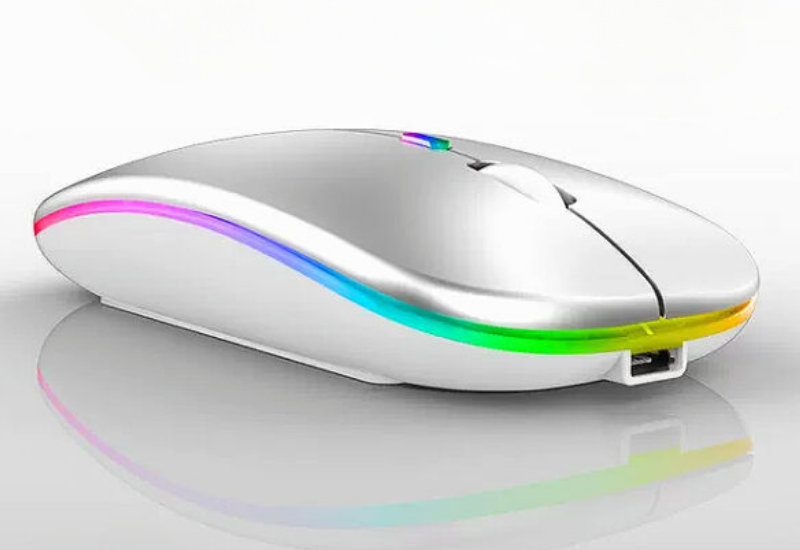
UpIn today’s digital workplace, a reliable wireless mouse is more than just an accessory—it’s an essential productivity tool. Whether you’re working from home, in an office, or on the go, the right wireless mouse can improve comfort, efficiency, and overall work performance.
With so many options available, choosing the best wireless mouse for your needs can be challenging. This guide will help you understand the key features to consider before making a purchase.
Why a Good Wireless Mouse Matters
A quality wireless mouse provides greater flexibility, reduces desk clutter, and allows you to work comfortably without being restricted by cables. It can also help reduce wrist strain and improve accuracy during daily tasks.
Investing in the right mouse can make a noticeable difference, especially if you spend several hours a day using a computer.
1. Consider Your Work Requirements
The first step is understanding how you’ll use the mouse.
For Office Work
Choose a lightweight and comfortable mouse with reliable tracking and long battery life.
For Graphic Design
Look for a high-precision mouse with adjustable DPI settings and customizable buttons.
For Travel
A compact and portable wireless mouse is ideal for working on the move.
For Multi-Tasking
Consider a mouse with programmable buttons that can speed up repetitive tasks.
2. Check Connectivity Options
Wireless mice generally connect using one of two methods:
USB Receiver
A small USB dongle plugs into your computer and provides a stable connection.
Advantages:
- Easy setup
- Strong connectivity
- Minimal lag
Bluetooth
Bluetooth mice connect directly without requiring a USB receiver.
Advantages:
- No dongle required
- Saves USB ports
- Ideal for laptops and tablets
Some advanced models offer both Bluetooth and USB connectivity for added flexibility.
3. Pay Attention to Ergonomics
Comfort is one of the most important factors when choosing a mouse.
An ergonomic design supports the natural position of your hand and wrist, helping reduce fatigue during long work sessions.
Look for:
- Contoured shapes
- Soft-touch surfaces
- Comfortable grip design
- Proper size for your hand
If you use a computer for several hours each day, ergonomic features should be a top priority.
4. Understand DPI Settings
DPI (Dots Per Inch) measures how sensitive a mouse is.
Higher DPI settings allow the cursor to move farther with less physical movement.
Common DPI Levels:
- 800 DPI – Standard office work
- 1200 DPI – General productivity
- 1600 DPI and above – Precision tasks and larger displays
Many modern wireless mice offer adjustable DPI settings, allowing users to switch sensitivity levels depending on the task.
5. Look for Quiet Click Technology
In shared workspaces, meetings, libraries, or home offices, silent-click mice can be extremely beneficial.
These mice significantly reduce clicking noise while maintaining responsiveness, creating a quieter and more comfortable work environment.
6. Evaluate Battery Life
Battery performance varies widely between models.
Some wireless mice operate for several months on standard batteries, while others include rechargeable batteries that can be charged using a USB cable.
Rechargeable Mouse Benefits:
- Environmentally friendly
- Lower long-term costs
- Convenient charging
For professionals, a long-lasting battery is an important productivity feature.
7. Consider Additional Features
Many modern wireless mice include advanced functions that enhance productivity.
Popular features include:
- Adjustable DPI settings
- LED lighting
- Multi-device connectivity
- Side navigation buttons
- Rechargeable battery
- Auto sleep mode
- Gesture controls
Choose features that align with your workflow rather than paying for extras you may never use.
8. Check Compatibility
Before purchasing, verify that the mouse is compatible with your device and operating system.
Most wireless mice support:
- Windows
- macOS
- Linux
- ChromeOS
Some models also work with tablets and smartphones through Bluetooth connections.
9. Set a Budget
Wireless mice are available at various price points.
Budget Range
Suitable for everyday office tasks and general productivity.
Mid-Range
Offers better ergonomics, longer battery life, and improved durability.
Premium Range
Includes advanced features, superior build quality, and enhanced customization options.
Determine which features are essential before deciding how much to spend.
Common Mistakes to Avoid
When shopping for a wireless mouse, avoid these common errors:
- Choosing based solely on appearance
- Ignoring ergonomic comfort
- Overlooking battery life
- Buying unnecessary features
- Forgetting compatibility requirements
- Selecting a mouse that’s too large or too small for your hand
Final Thoughts
The best wireless mouse for work is one that balances comfort, reliability, and productivity. Focus on ergonomic design, connectivity options, battery life, DPI settings, and compatibility to find a mouse that fits your daily workflow.
A well-chosen wireless mouse can increase efficiency, reduce discomfort, and make your work experience more enjoyable. Take the time to evaluate your needs, compare features, and invest in a mouse that supports your productivity goals.
